
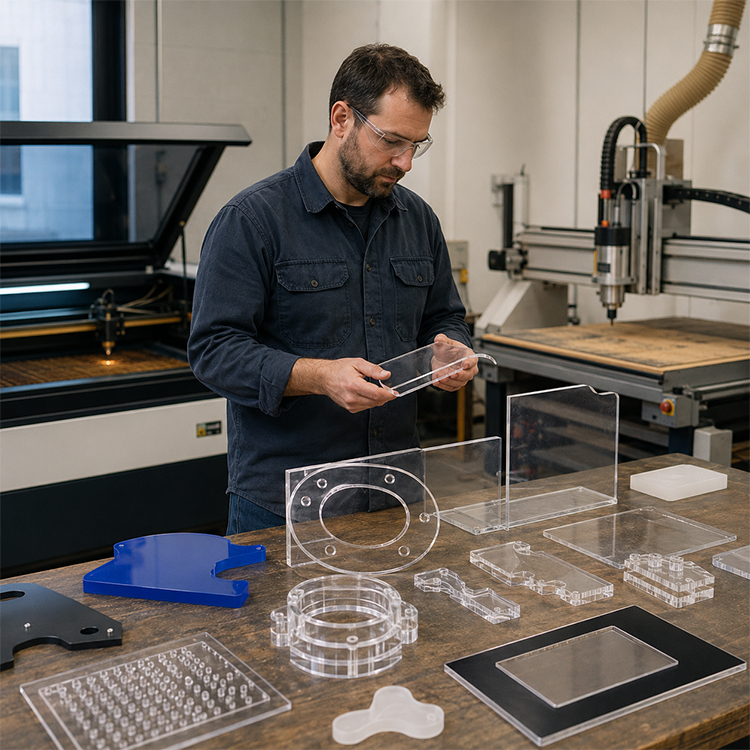
Laser Cutting vs CNC Routing for Acrylic Materials
Laser cutting and CNC routing both cut acrylic, but they do not solve the same manufacturing problem. This guide breaks down the shop-floor truth behind edge quality, PMMA behavior, fume control, tool marks, tolerances, cost, and the best way to cut acrylic sheet for signage, displays, fixtures, and industrial components.

The Acrylic Cutting Methods Nobody Explains Honestly
Edges tell lies.
In acrylic fabrication, a glossy edge can make a weak process look expensive, while a routed matte edge can make a mechanically superior part look unfinished, and that is exactly why buyers keep choosing the wrong acrylic cutting methods for the wrong jobs. So which finish actually tells the truth?
I’ll be blunt: laser cutting acrylic wins the beauty contest, CNC routing acrylic wins many structural jobs, and the best way to cut acrylic sheet depends less on the machine brochure than on thickness, flame-polished edge demand, hole geometry, tolerance stack-up, fume control, and whether the part will be glued, bent, mounted, or punished in service.
PMMA is not just “plastic.” It is polymethyl methacrylate, commonly written as PMMA, built from methyl methacrylate chemistry, and it behaves very differently under a 10.6 µm CO2 laser beam than it does under a carbide O-flute router bit. Heat melts and reflows it. A cutting tool shears it. That difference is the whole story.
For acrylic-focused production, I would point readers first to Bogong’s page on laser cutting machine for acrylic, because it frames the correct advantage: non-contact cutting, clean edges, and reduced cracking risk. But don’t romanticize it. Heat is never free.
Laser Cutting Acrylic: The Pretty Edge Comes From Controlled Damage
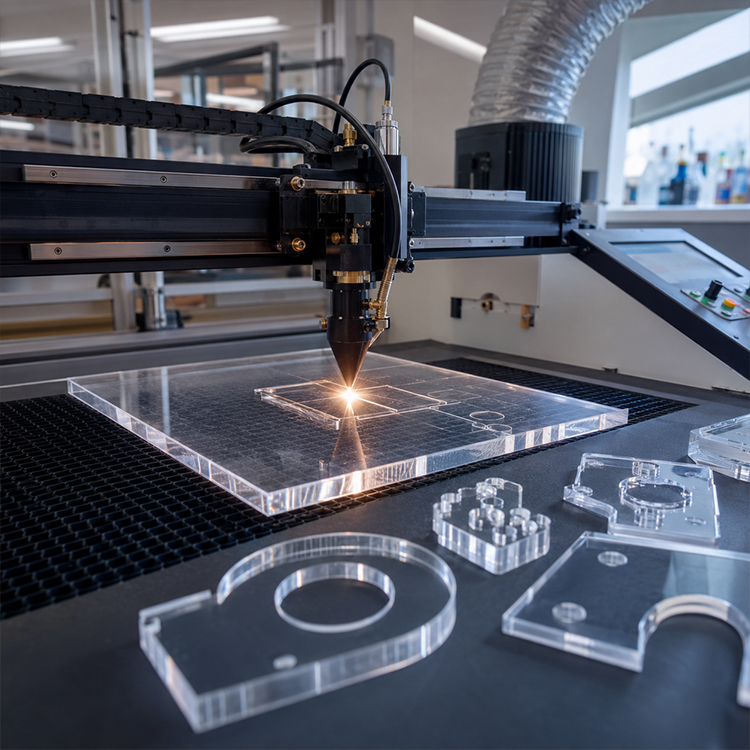
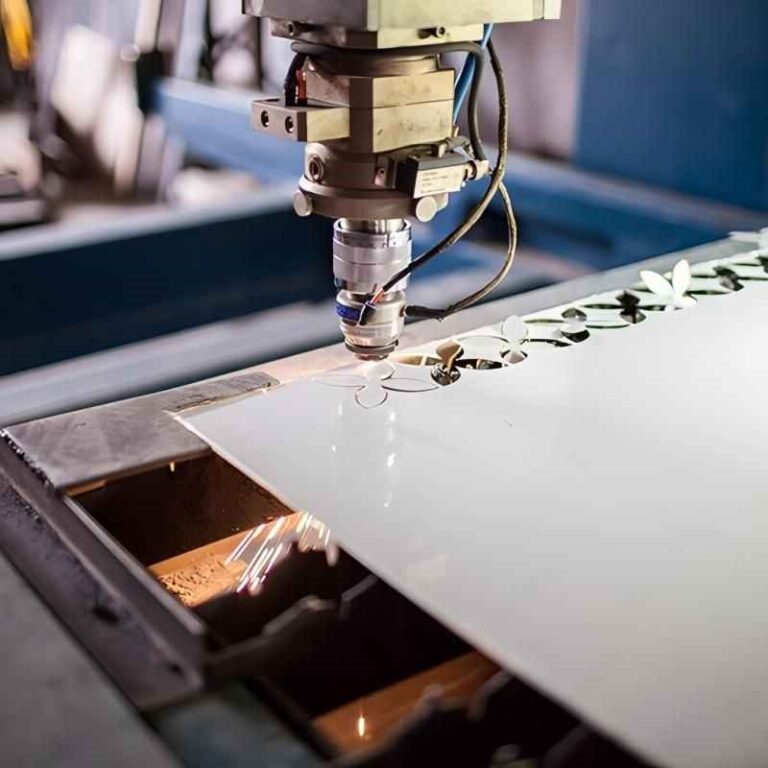
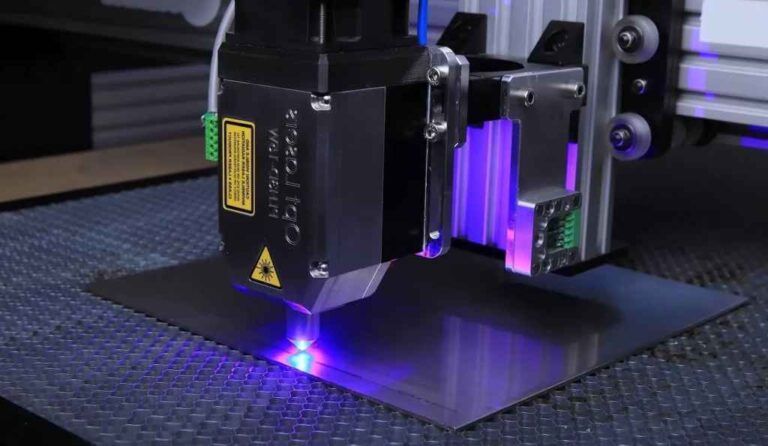
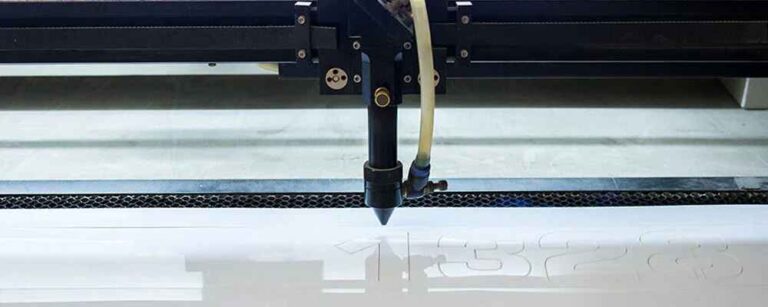
Laser cutting acrylic works because PMMA absorbs CO2 laser energy well enough to heat, melt, vaporize, and briefly reflow at the edge. That molten edge cools into the glossy finish people call “polished.” Bogong’s explanation of how laser cutting produces polished acrylic edges gets the mechanism right: the shine is not magic; it is thermal behavior.
That is also the trap.
A perfect laser edge on 3 mm cast acrylic can look almost retail-ready straight off the bed. A bad laser edge on 12 mm acrylic can look smoky, bowed, bubbly, and overcooked. I have seen shops blame the sheet supplier when the real culprit was dirty optics, bad focus, weak exhaust, excessive power, or the habit of treating every PMMA sheet like the same material.
Here is my rule: if the edge is the product, use the laser. If the edge is only a hidden joint, maybe stop paying for beauty.
According to the NIST 2024 Annual Report on the U.S. Manufacturing Economy, U.S. manufacturing value added reached $2.3 trillion in chained 2017 dollars in 2023, or 10.2% of GDP. That matters because acrylic fabrication is not craft gossip anymore; it sits inside a manufacturing economy where repeatability, labor reduction, rework control, and machine uptime decide margin.
For shops processing signage, retail displays, awards, light guides, protective covers, and point-of-sale fixtures, a CO2 laser cutting machine is usually the sharper commercial answer than a router when the material is thin-to-medium acrylic and the buyer expects a clear finished edge.
Where Laser Cutting Acrylic Wins
Laser cutting acrylic wins when the job demands polished edges, small internal details, low clamping pressure, tight decorative geometry, engraving, nested layouts, and minimal post-finishing. Thin acrylic sheet from 1 mm to 10 mm is where a CO2 laser can feel brutally efficient.
It also wins when the part is fragile. A router bit pushes sideways. A laser does not. That distinction matters on narrow strokes, small lettering, intricate logos, acrylic wedding décor, display inserts, and thin signage pieces that would chatter, chip, or vibrate under mechanical cutting.
But here is the hard truth: laser cutting is not automatically cleaner in the workplace.
A 2023 study, Characterization of Emissions from Carbon Dioxide Laser Cutting Acrylic Plastics, examined emissions from CO2 laser cutting acrylic and focused specifically on particulate and gaseous releases. That should make every serious buyer ask about extraction, ducting, filtration, and lid-opening procedures before asking about maximum speed.
OSHA lists methyl methacrylate, CAS 80-62-6, with an OSHA PEL-TWA of 100 ppm, equal to 410 mg/m³. PMMA cutting fumes are not a “smell issue.” They are a process-control issue.
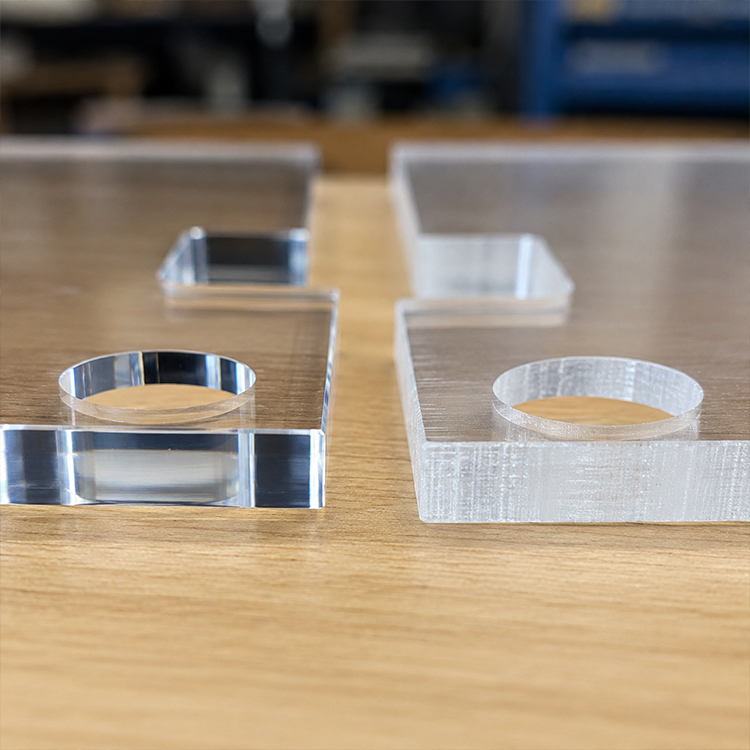
Table of Contents
CNC Routing Acrylic: Ugly Edges, Honest Strength
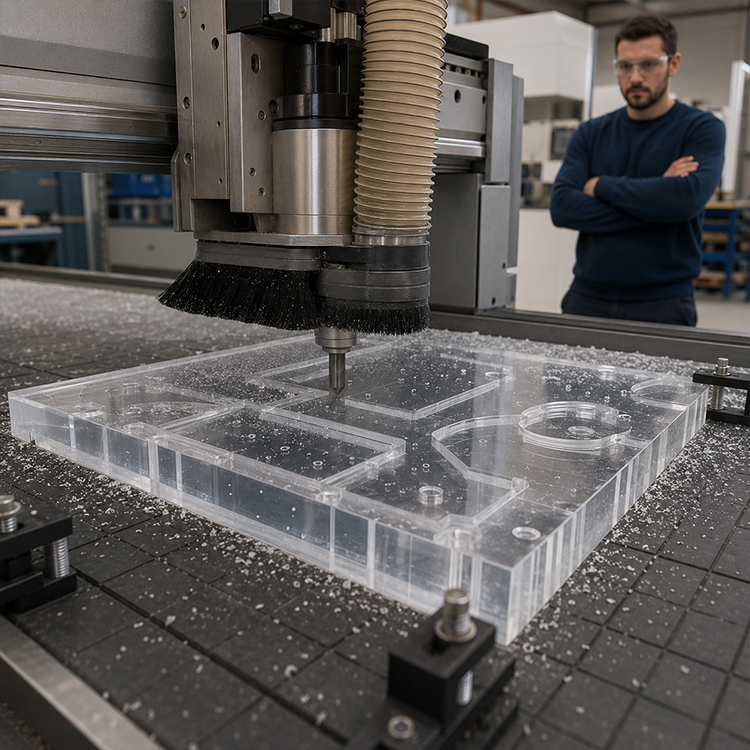
CNC routing acrylic is mechanical cutting. The spindle rotates. The bit removes chips. The material is held down by vacuum, clamps, tabs, or fixtures. The edge may come out smooth, but it usually will not look laser-polished unless it is flame polished, buffed, or chemically finished afterward.
And yet, routing is often the adult in the room.
If you are cutting thick acrylic, bevels, pockets, rabbets, countersinks, tapped holes, slots with precise mechanical fit, or parts that need stress-controlled edges for bonding, CNC routing acrylic can beat laser cutting. I know that sounds unfashionable in laser-heavy marketing, but the router does something the laser cannot: it removes material without building the same narrow heat-affected zone.
Laser-cut edges can carry thermal stress. That stress can show up later as crazing, cracking around solvent-bonded joints, or ugly failure near fasteners. Routing leaves tooling marks, yes, but a properly chosen single-flute or O-flute carbide bit can create a strong, clean, predictable edge that behaves better in assemblies.
So, is laser cutting or CNC routing better for acrylic? Not universally. That question is too lazy. Ask what the part must survive.
Where CNC Acrylic Cutting Wins
CNC acrylic cutting wins on thickness, dimensional control in thicker stock, 3D profiling, pocketing, bevels, hole finishing, mechanical joinery, countersunk fastener features, and edges that will be bonded or machined again.
For 15 mm, 20 mm, or 25 mm acrylic, I would rather discuss router bit geometry, chip evacuation, spindle runout, feed rate, and stress management than pretend a glossy laser edge solves everything. In thicker acrylic, laser cutting can create taper, heat marks, residue, and internal stress. A router gives you chips. Chips are annoying. They are also proof the heat went into removed material instead of staying in the edge.
But routers demand skill. Poor feed speed melts acrylic. Bad bits chatter. Weak hold-down lets parts walk. Overheating welds chips back to the edge. And nobody wants to admit this, but many “CNC problems” are actually vacuum-table problems.
Laser Cutting vs CNC Routing for Acrylic: The Shop-Floor Comparison
| Factor | Laser Cutting Acrylic | CNC Routing Acrylic | My Take |
|---|---|---|---|
| Edge appearance | Glossy, flame-polished look | Matte to smooth machined edge | Laser wins if edge beauty sells the part |
| Heat impact | Higher thermal effect at edge | Lower thermal effect if chipload is correct | Router wins for stress-sensitive assemblies |
| Best thickness range | Often strongest from 1–10 mm acrylic | Often stronger from 6–25+ mm acrylic | Overlap exists, but thickness changes the answer |
| Internal detail | Excellent for small text, logos, and tight contours | Limited by tool diameter and vibration | Laser wins on intricate decorative geometry |
| Pocketing and 3D work | Poor fit | Strong fit | Router wins for mechanical features |
| Fumes and dust | PMMA vapor, odor, particulates, extraction needed | Acrylic chips, dust, possible airborne particles | Both need control; laser fumes are easier to underestimate |
| Post-processing | Often little edge finishing needed | May need polishing, sanding, flame finishing | Laser reduces finishing labor |
| Workholding | Usually simpler, less lateral force | Vacuum/clamps/tabs matter a lot | Router workholding can decide quality |
| Best use cases | Displays, signage, awards, decorative panels, thin covers | Thick panels, fixtures, pockets, bevels, bonded mechanical parts | Match process to function, not fashion |
The BLS employer-reported workplace injury and illness data for 2023–2024 reported 2.5 million nonfatal workplace injuries and illnesses in private industry in 2024, down 3.1% from 2023. Why bring that into a cutting-method article? Because serious fabrication decisions include worker exposure, handling, repetitive work, dust, fumes, noise, and maintenance—not only edge gloss.
The Material Reality: Cast Acrylic, Extruded Acrylic, PMMA, and Money
Cast acrylic and extruded acrylic do not behave the same. Cast acrylic generally engraves cleaner and often cuts with better optical results. Extruded acrylic can be cheaper and more consistent in thickness, but it may melt differently, smell stronger, and engrave with less contrast.
That difference matters when choosing acrylic fabrication techniques.
If I were quoting a retail display project with exposed edges, I would test cast acrylic on a CO2 laser first. If I were quoting a thick fixture plate with pockets, screw holes, and later bonding, I would lean toward CNC routing. If I were quoting a mixed project—say, an acrylic display base plus engraved branding—I would consider laser cutting the visible contours and using router operations where mechanical fit matters.
Bogong’s broader page on laser cutting machine applications is useful here because acrylic does not live alone in a shop. The same buying decision may involve wood, paper, plastics, glass, leather, and metals. Just don’t confuse “can process” with “should process.” PVC is the classic warning. Many laser shops refuse it for good reason.
For mixed plastic workflows, Bogong’s laser cutting machine for plastic page gives a broader materials context, though I would still separate acrylic from ABS, PET, polycarbonate, and PVC in any serious process plan. Different plastics mean different fumes, edge behavior, and risk.
The Cost Argument: The Cheap Cut Is Often Expensive
Laser cutting often reduces labor because the edge is finished as cut. That matters. If a routed acrylic part needs sanding, scraping, flame polishing, inspection, and rework, the router’s lower hourly cost may vanish.
But laser cutting can also hide costs. Fume extraction filters are not decorative. Lenses, mirrors, tubes, chillers, ducting, honeycomb beds, residue cleaning, and fire risk all have a bill attached. CNC routing has its own bill: bits, spoilboards, chip extraction, vacuum pumps, fixtures, noise control, and operator skill.
The buyer’s mistake is comparing machine time only.
Acrylic laser cutting vs CNC routing should be priced by finished part cost, not cutting cost. Finished part cost includes rejected sheets, secondary finishing, operator intervention, cleaning, packaging scratches, part stability, and customer complaints after installation.
Small sentence. Big invoice.
If the job is 500 identical retail display panels with exposed edges, laser cutting may be cheaper even if the hourly machine rate is higher. If the job is 40 thick acrylic mechanical covers with countersunk holes and tight fit around hardware, routing may be cheaper because the laser would still require secondary operations.
My Hard Recommendation: Choose by Failure Mode
The best way to cut acrylic sheet is to choose the process based on how the part can fail. Not how the sample looks under showroom lighting.
Use laser cutting acrylic when the main failure is visual rejection: cloudy edge, uneven polish, chipped lettering, visible tool marks, bad engraving, or slow finishing.
Use CNC routing acrylic when the main failure is mechanical: poor fit, cracked fastener holes, stressed bonded joints, warped thick edges, inaccurate pockets, or fragile assembly geometry.
And use both when the project deserves both. A hybrid workflow is not weakness. It is often the real professional answer.
For engraving-heavy work, especially logos, serial numbers, decorative patterns, and branding on acrylic surfaces, Bogong’s laser engraving machine for acrylic is a natural internal follow-up because cutting and engraving are often quoted together in signage and display production.
FAQs
What is the best way to cut acrylic sheet?
The best way to cut acrylic sheet is to match the cutting method to the part’s final function: laser cutting is usually best for polished visible edges, intricate profiles, and decorative acrylic work, while CNC routing is usually better for thick sheets, mechanical features, pockets, holes, and stress-sensitive assemblies.
For 1–10 mm display acrylic, I usually test CO2 laser cutting first. For 12–25 mm acrylic fixtures, covers, or structural parts, I take CNC routing seriously. The expensive mistake is assuming one method is always superior.
Is laser cutting or CNC routing better for acrylic?
Laser cutting is better for acrylic when edge clarity, small detail, engraving, and reduced post-finishing matter most; CNC routing is better when thickness, mechanical accuracy, pocketing, countersinking, and lower thermal stress matter more. The better process depends on whether the acrylic part is judged by appearance or performance.
In simple terms: laser for beautiful contours, router for machined function. If the part must be glued or bolted, do not ignore stress behavior around the cut edge.
Does laser cutting acrylic create toxic fumes?
Laser cutting acrylic creates fumes and particles that require proper exhaust, filtration, and workplace controls, especially because PMMA processing can release methyl methacrylate and other airborne contaminants. Acrylic is widely laser cut, but safe production depends on ventilation design, material identification, operator procedure, and exposure management.
The smell is not a quality-control tool. A clean edge with weak extraction is still a bad process. Treat the exhaust system as part of the machine, not an optional accessory.
Can CNC routing acrylic achieve a polished edge?
CNC routing acrylic can produce a smooth machined edge, but it usually needs secondary finishing such as sanding, buffing, diamond polishing, or flame polishing to match the glossy look of laser-cut acrylic. Routing is chosen less for instant visual polish and more for thickness, fit, and mechanical features.
A high-quality O-flute bit can create a very clean edge. But if the customer expects glass-like transparency on exposed edges, budget finishing time before quoting.
Which acrylic cutting method is better for thick acrylic?
CNC routing is often better for thick acrylic because it removes material as chips, reduces excessive edge heating, and supports pockets, bevels, countersinks, and mechanical details that lasers cannot produce cleanly. Laser cutting thick acrylic can work, but heat marks, taper, fumes, and stress become harder to control.
I would not judge thick acrylic by a small sample coupon. Test the actual sheet, actual geometry, actual tolerance, and actual assembly method.
What acrylic fabrication techniques should a professional shop combine?
A professional acrylic shop should combine CO2 laser cutting, CNC routing, engraving, polishing, bonding, bending, drilling, and controlled extraction rather than relying on one machine for every job. The strongest acrylic fabrication techniques come from process matching: visible edges, mechanical fit, chemical bonding, and finishing requirements all need separate decisions.
The best shops are not loyal to one machine. They are loyal to the finished part.
Final Thoughts: Test the Cut Before You Trust the Quote
Do not choose between laser cutting acrylic and CNC routing acrylic from a sales sheet. Send the real drawing, real thickness, real sheet type, real tolerance, and real finishing requirement.
Ask for a cut sample. Ask how fumes are controlled. Ask what happens to solvent-bonded edges after 48 hours. Ask whether the quoted edge is machine-finished, flame-polished, buffed, or untouched. And if your project depends on clear exposed acrylic edges, start by reviewing Bogong’s acrylic laser cutting machine options and then request a process recommendation based on your sheet thickness, geometry, and production volume.


Hot Click
Contact Us
Application
©Copyright [bogonglaser.com]. BOGONG Laser Machine Supplier All Rights Reserved.